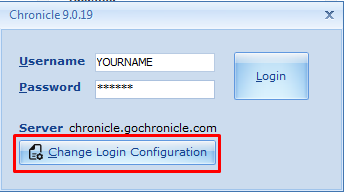
- Launch Chronicle. At the log-in screen, click on the “Change Login Configuration” button:
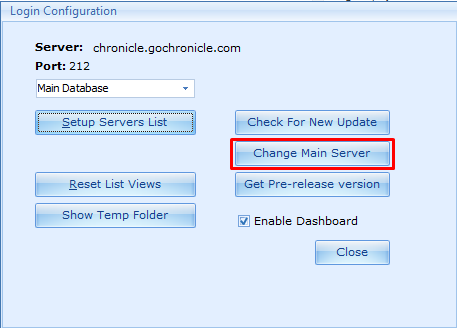
- Click on “Change Main Server” button:
- Delete the current address and type in the following, replacing “000000” with your 6 digit Chronicle support number:
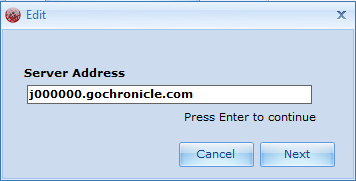
- Hit the “Next” button to return to the previous screen; close that, and you are back at your login window with the correct server address permanently saved.
Home / Customize / General Setup
Customize