If you have an IMap email address that belongs to more than one person in you office, please follow the steps below.
1. Go to the main system setup> Email and Fax tab>IMAP Setup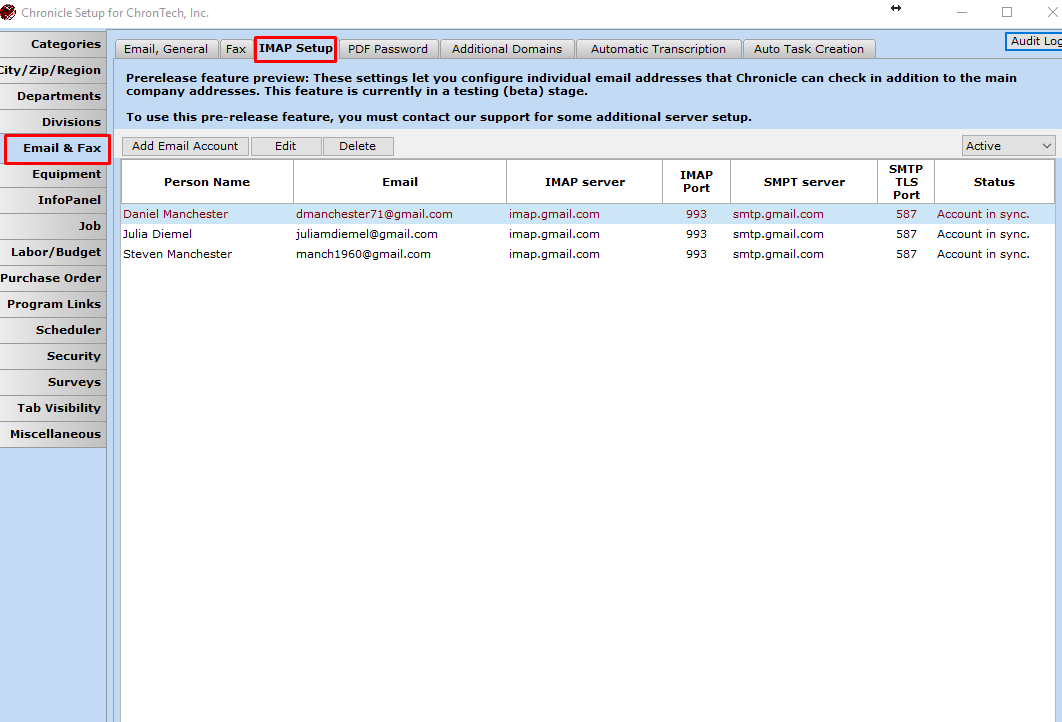 .
.
2. Add the email account, and assign Support@yourdomain.com to an employee.
You only need to add it for one employee.
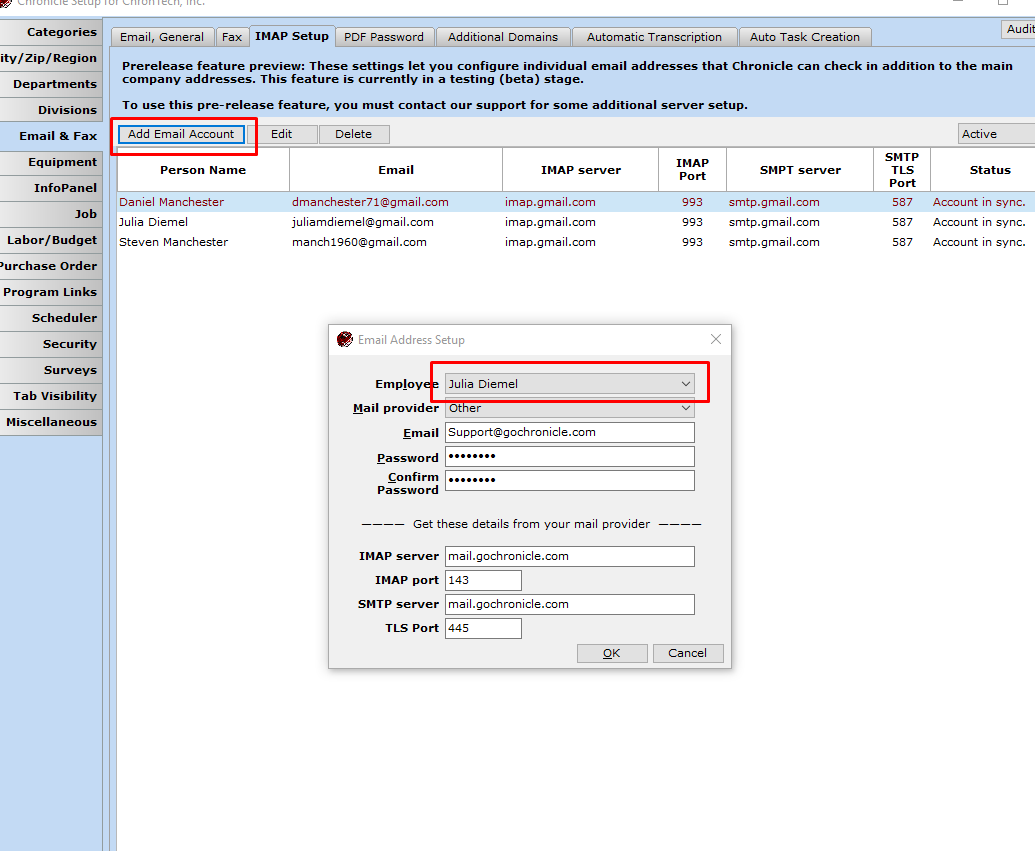
3. Now Add it for the other employees using the instructions below.
Once it has been added to the Main System Setup, go the the people tab.
People>search for Employee>Open person file>Add/Edit under Phone, Fax & Email>Add>enter email address (in this example support@yourdomain.com)> Click OK
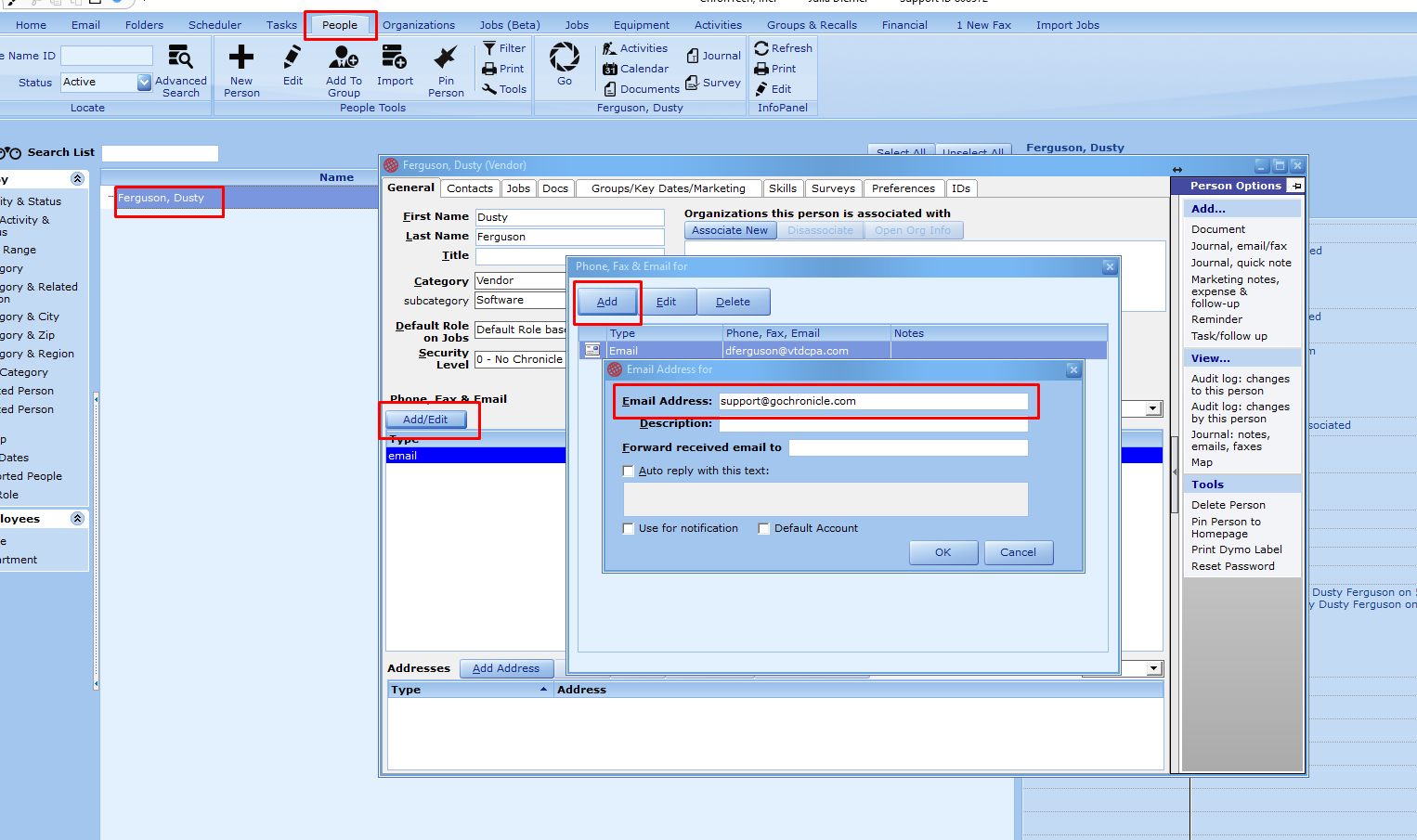
4. Repeat step 3 for any other employees that need to receive email for that address.