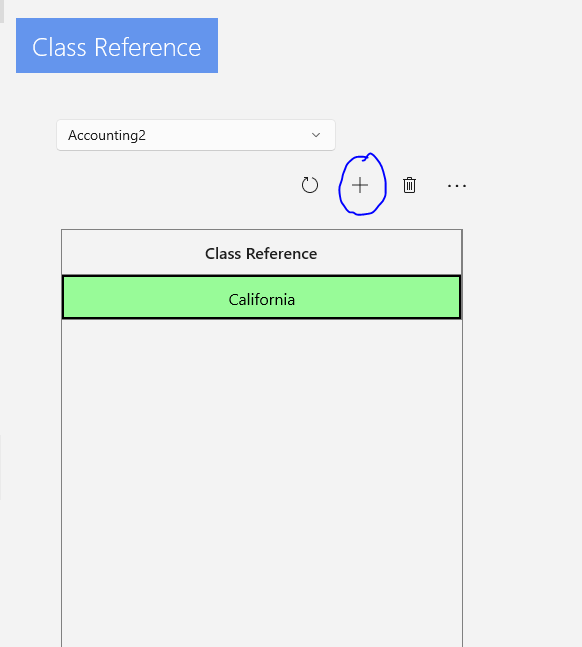
You can now assign classes for QuickBooks Online.
The UWP app collection manager now shows classes under Account Reference.

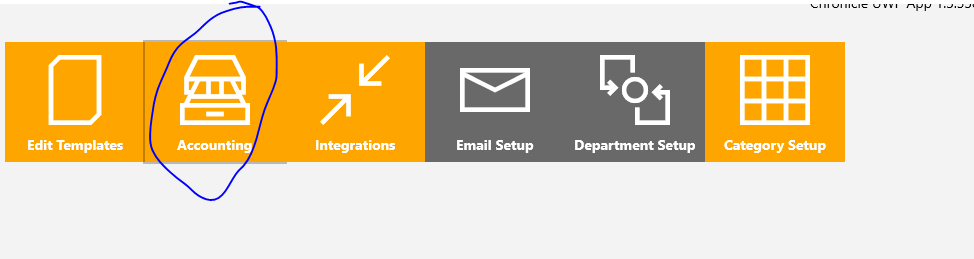
You can assign classes by clicking More in the UWP app and then choosing Accounting.
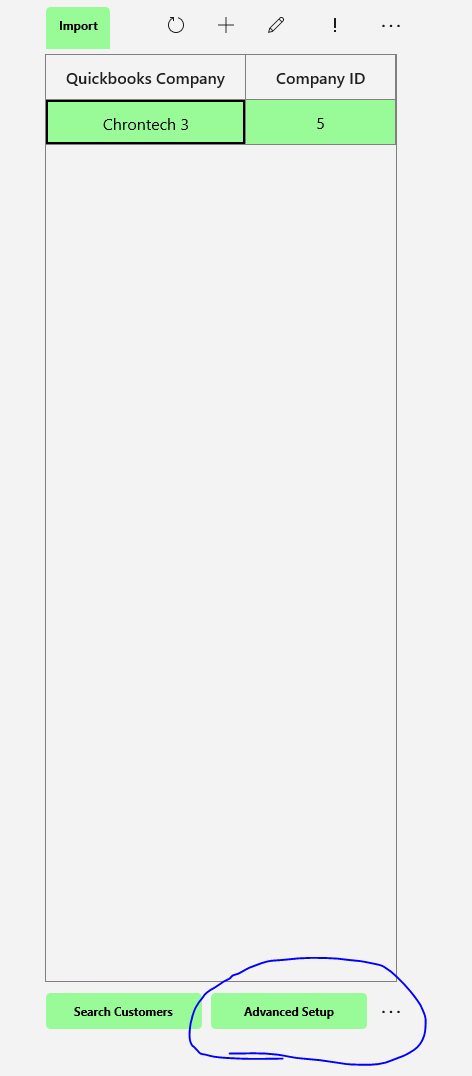
You will then see this screen. Select the QuickBooks File you would like to assign classes to and click on Advanced Setup at the bottom.
You can then assign the Class Reference by clicking the + button and assigning the correct classes to each Department.