To view job financials when using QBO, go the main Financial tab in Chronicle and click on either Job List View or Collection Manager in the tool bar at the top of the screen. Each will take you to Chronicle's Win 10 feature to view the financials.
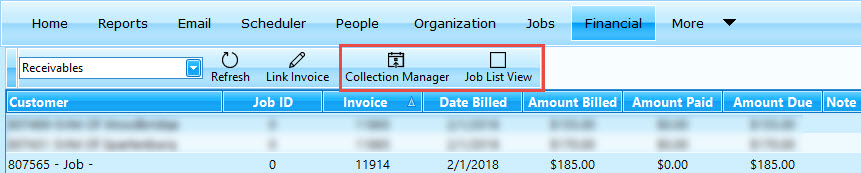
Job List View
Click on the button in the tool bar of the Financial tab.
|
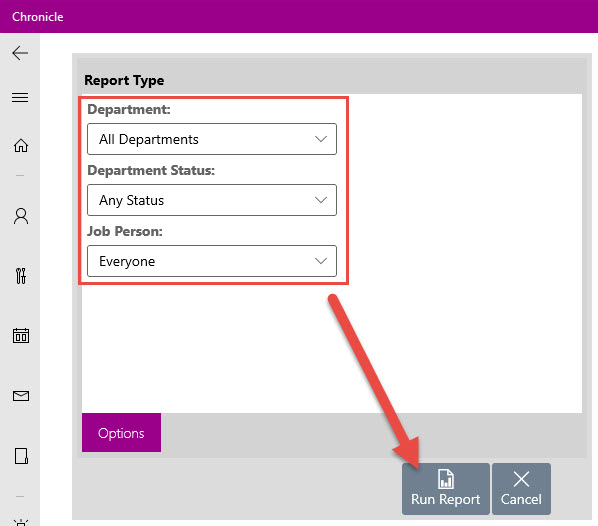
This will open the Win 10 feature where you can select your parameters for the report i.e. departments*, status, and job person. Then click run report!
*Only departments that are linked to QBO will be available for reporting. To check what departments you are using, go to the MSS > Program Links > QuicBooks subtab> Quickbooks Online radio button > look at the associated department list. |
 |
Collections Manager
Click on the button in the tool bar of the Financial tab:
For those who are using QB desktop, the current reports are still available to you when you log into Chronicle from your computer desktop. Both QB desktop and Chronicle desktop are more robust programs than online QB and online Chronicle.