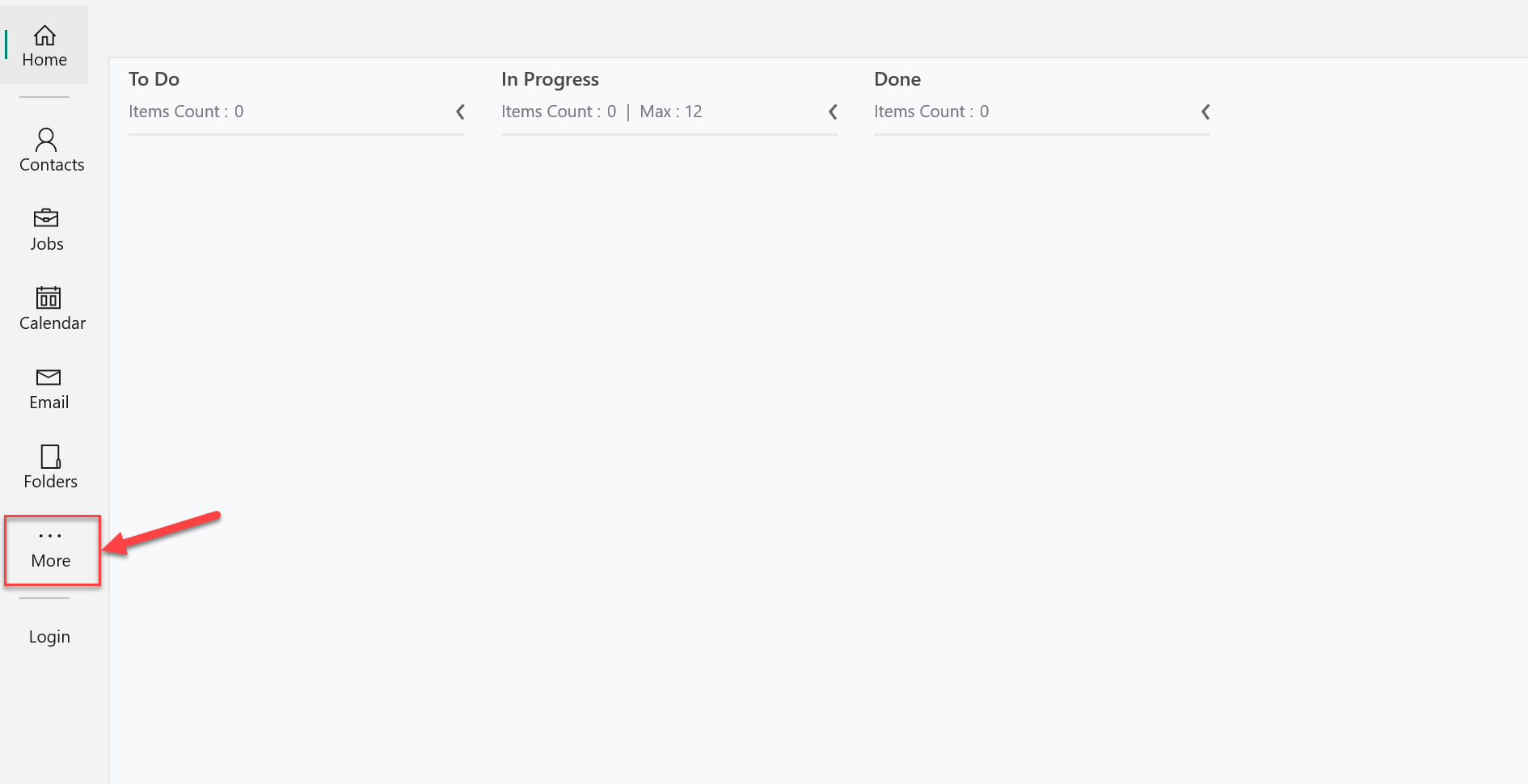
To add a user's email account in the UWP app, first, click the More button as shown in the screenshot below.
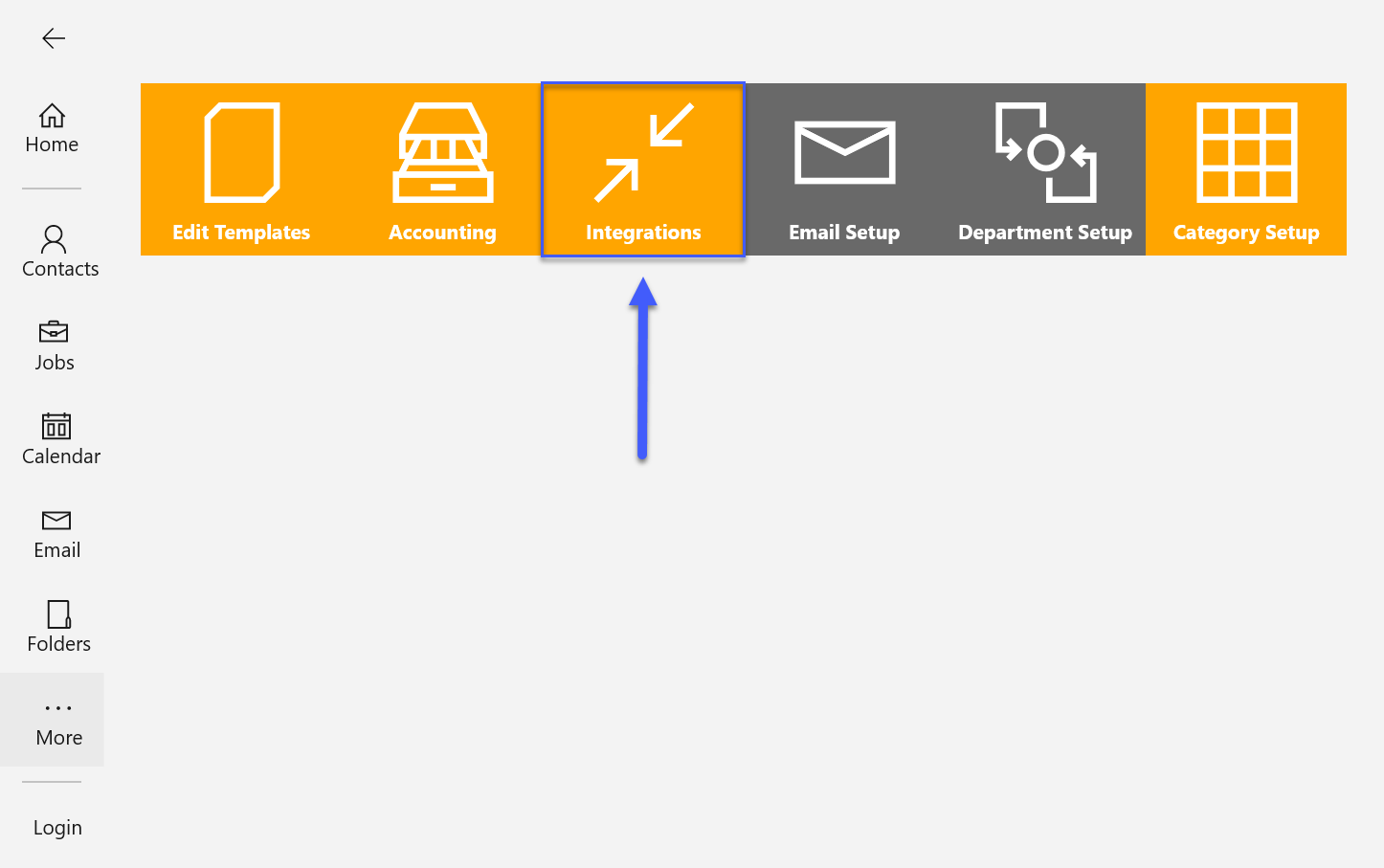
On the More screen click the button that says Integrations.
Click the drop-down at the top left side and choose Email.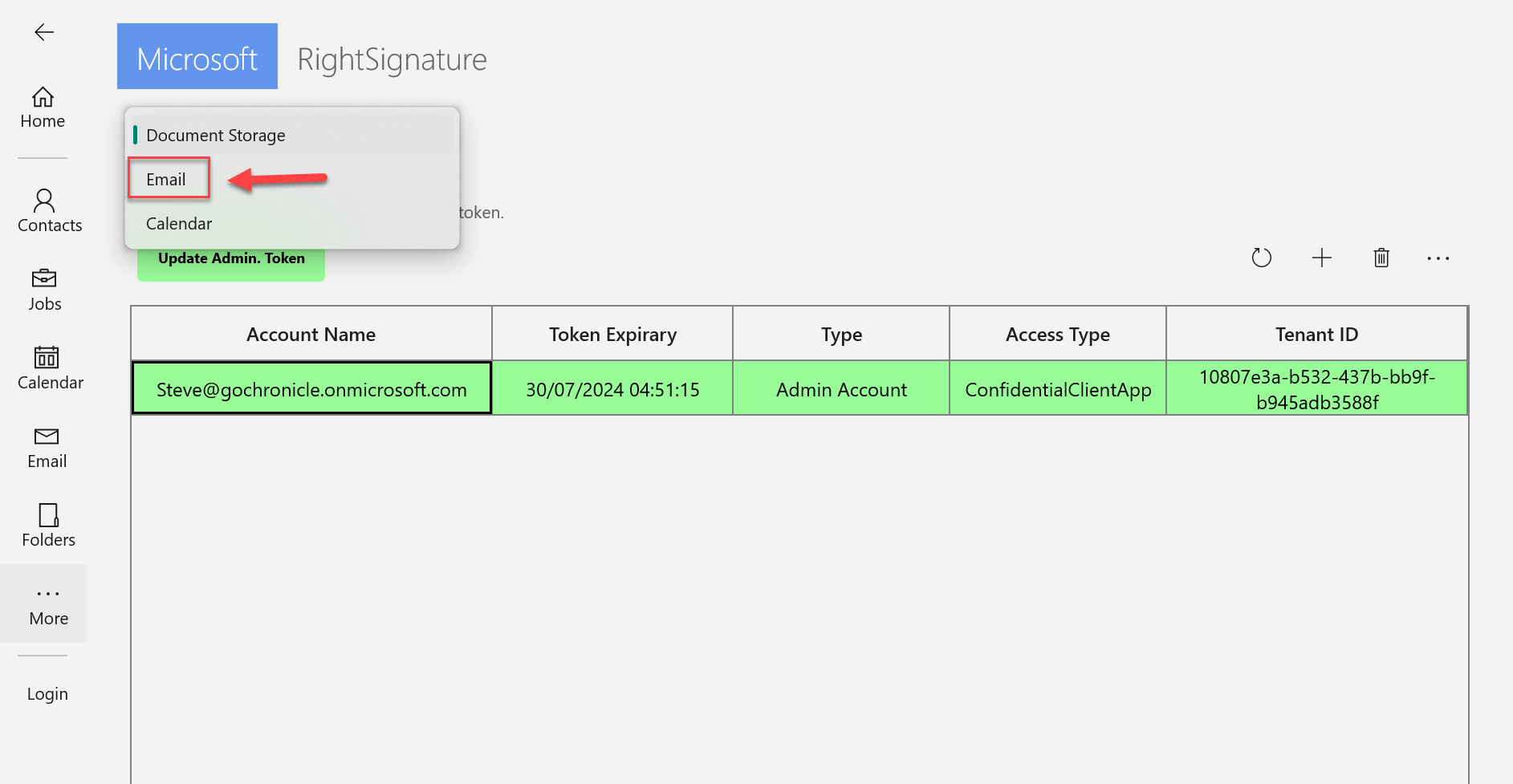
Click the + button.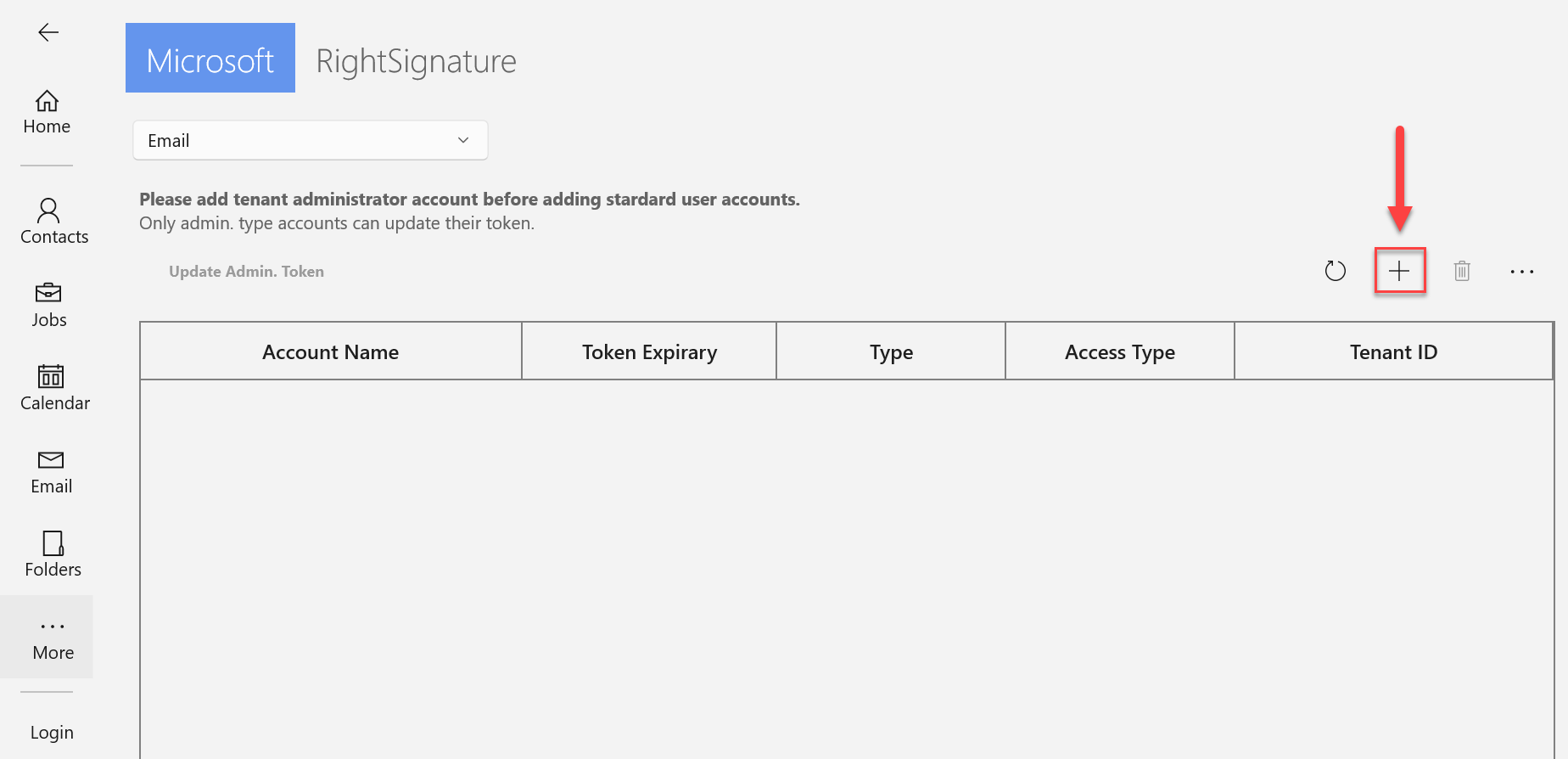
Add the Standard User (The Tenant Admin should already be added).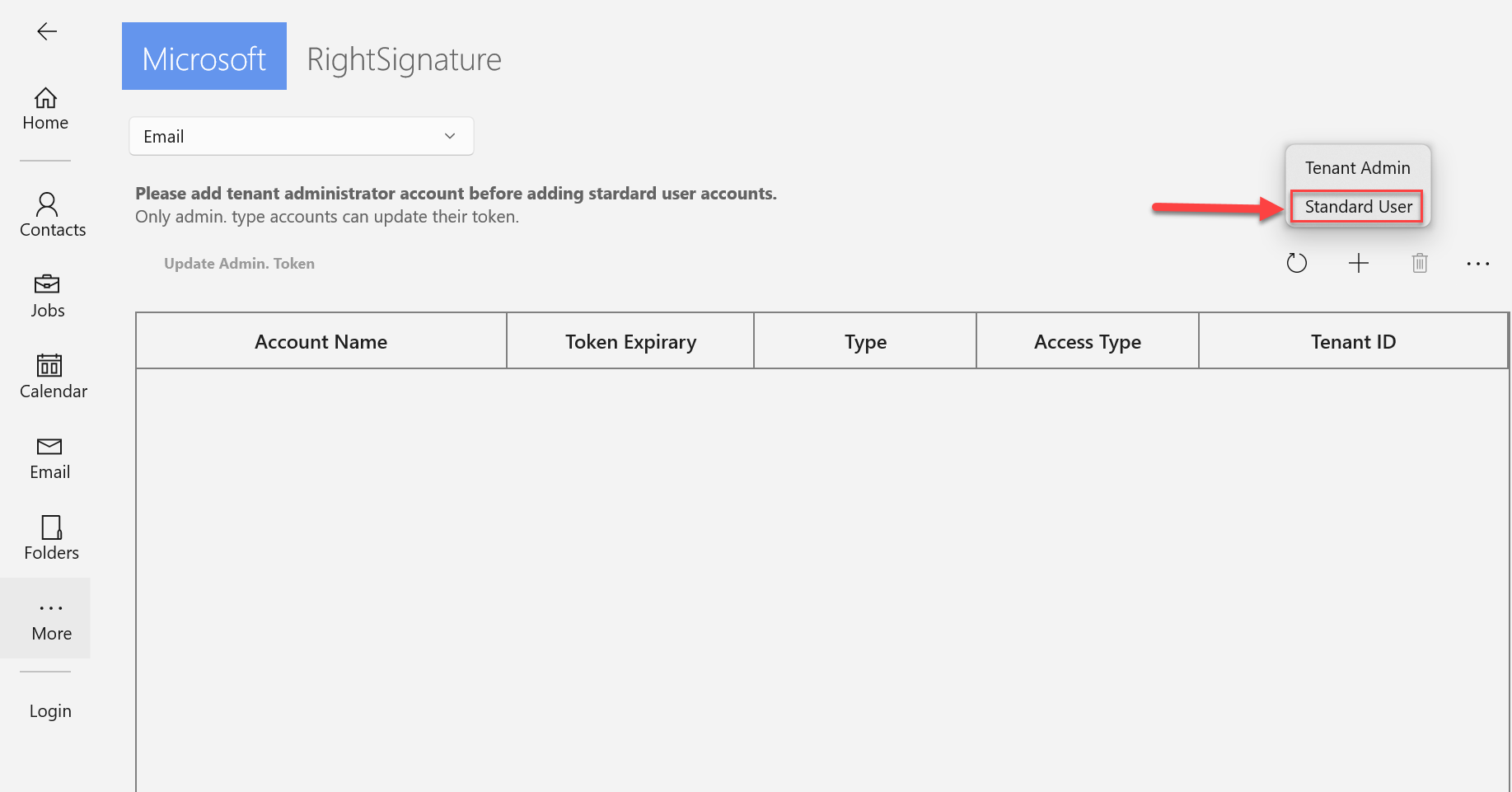
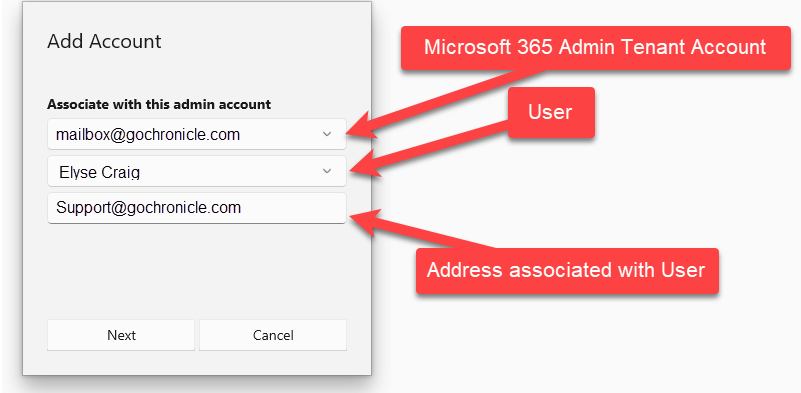
This Add Account box should come up. The top box should auto-fill with your Microsoft 365 Admin Tenant Account. The middle one is a drop-down where you will pick the user you wish to add an account for from the list, and the bottom box is the email address you would like to associate with them.