To begin, you must Create 1 or more online exchange users in your Microsoft 365 account, which we will then map in Chronicle.
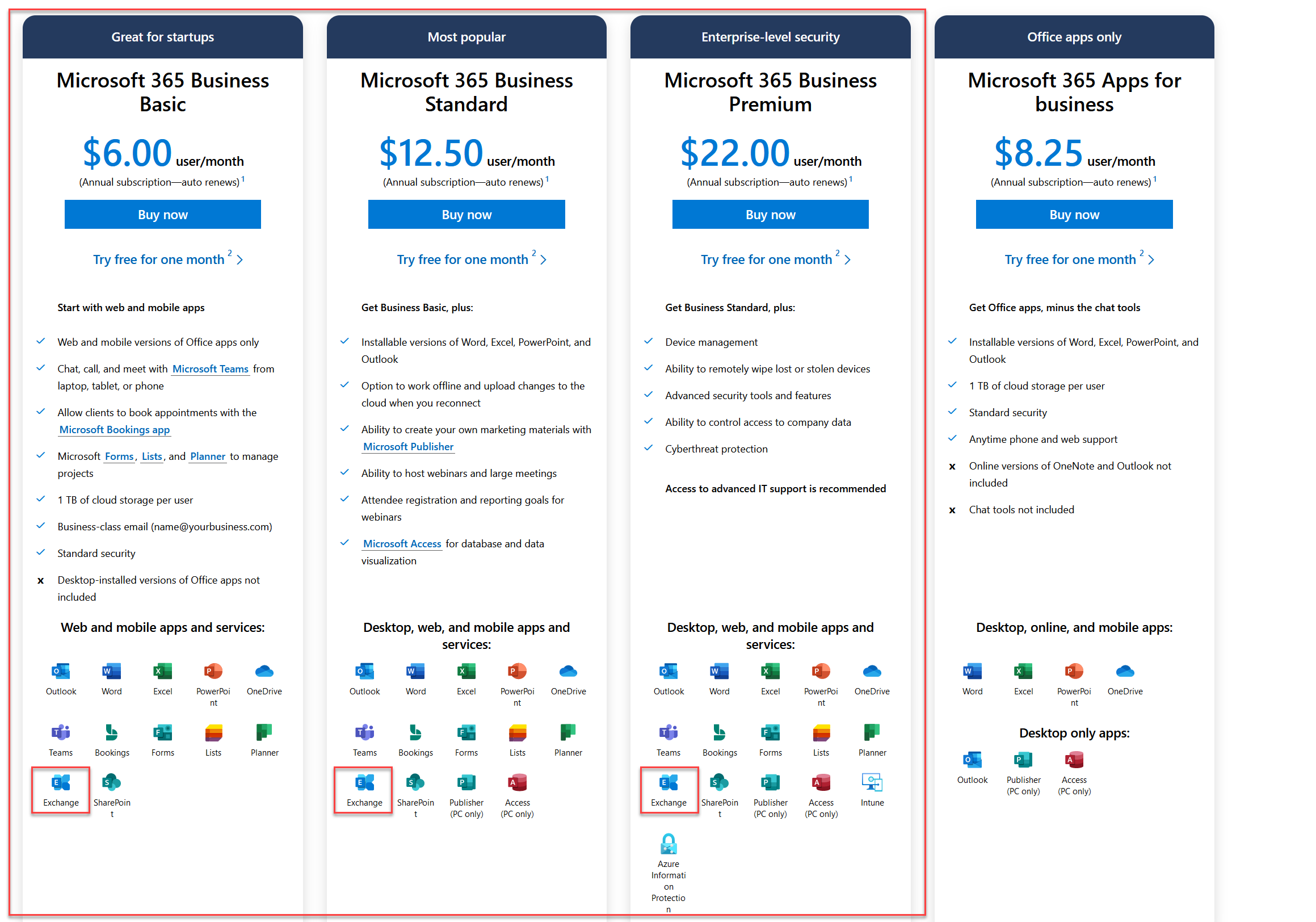
We recommend Microsoft 365 Business Basic which is the $6.00 a month option, but you are free to pick any of the other options that have Exchange as an included app. Please click the link to be taken directly to the page shown below.
Microsoft 365 Plans
To add an admin email account in the UWP app, first, click the More button as shown in the screenshot below.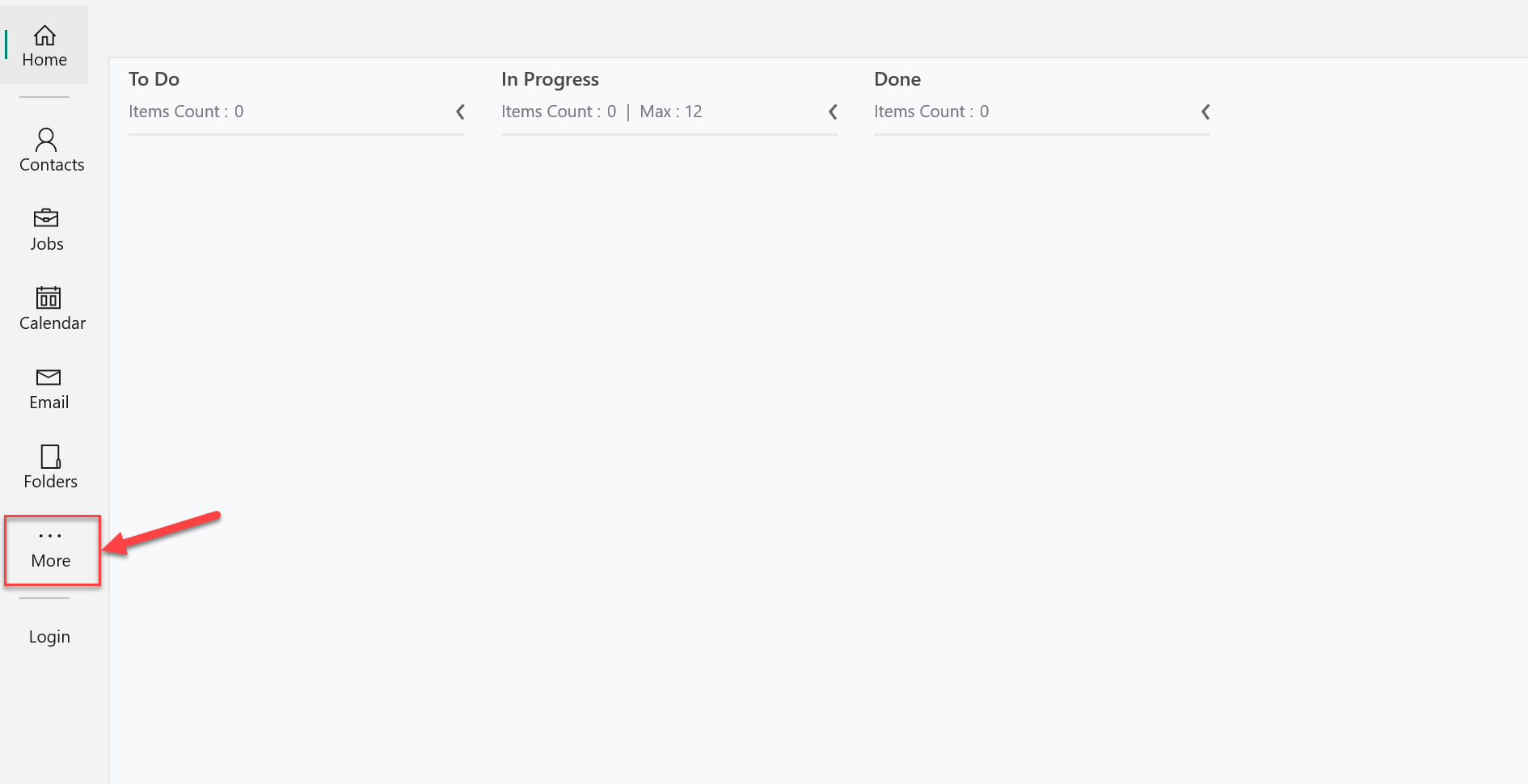
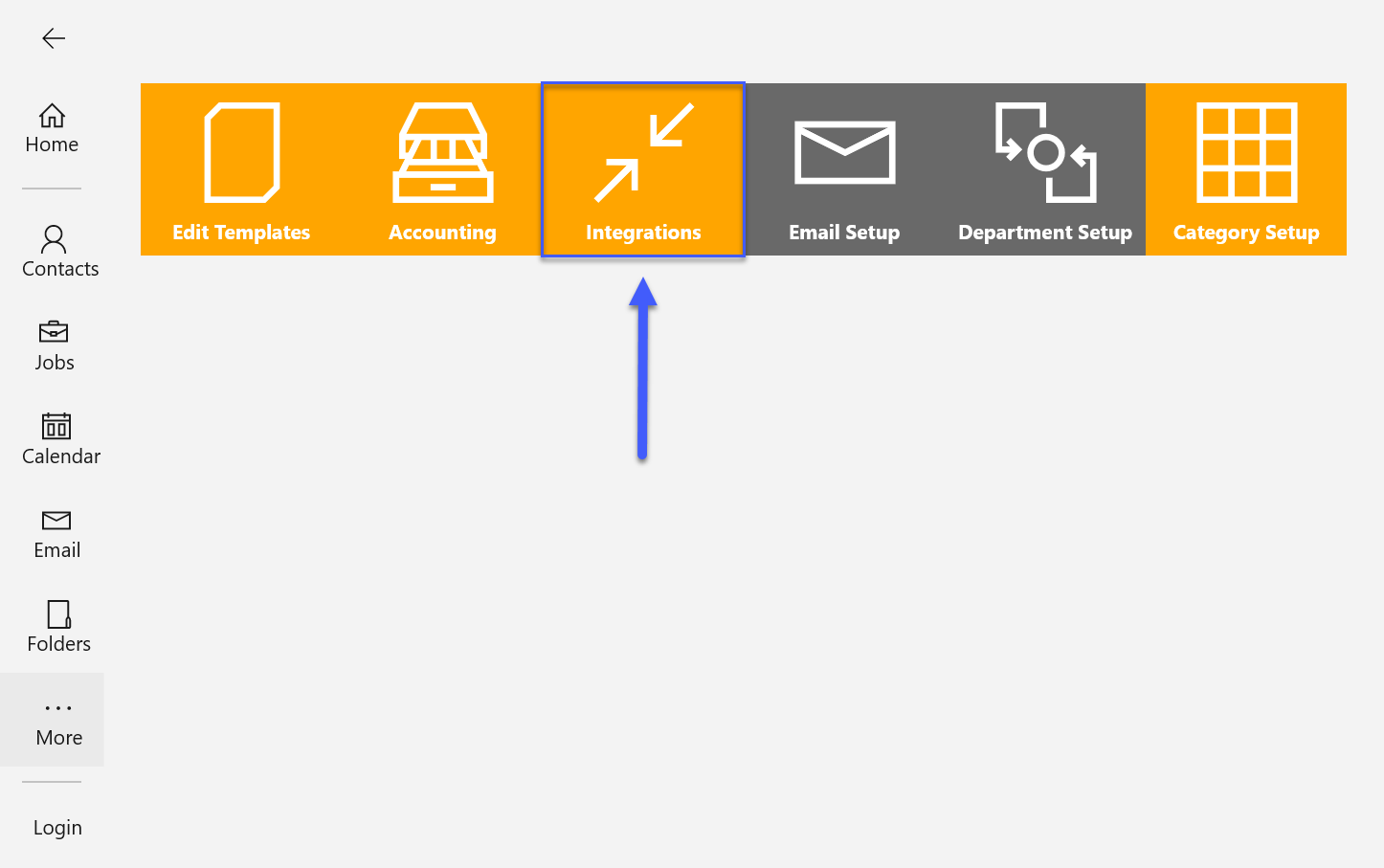
On the More screen click the button that says Integrations.
Click the drop-down at the top left side and choose Email.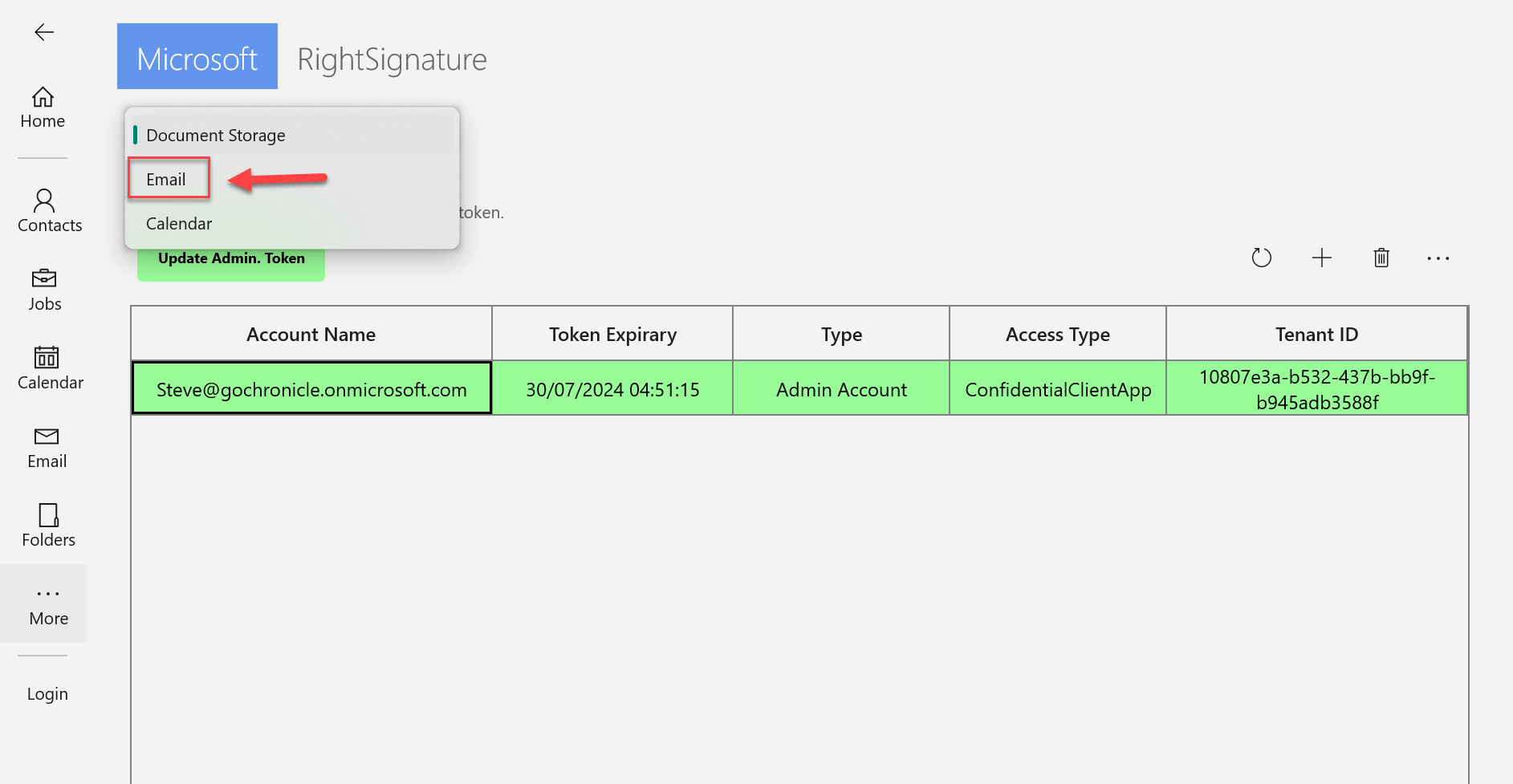
Click the + button.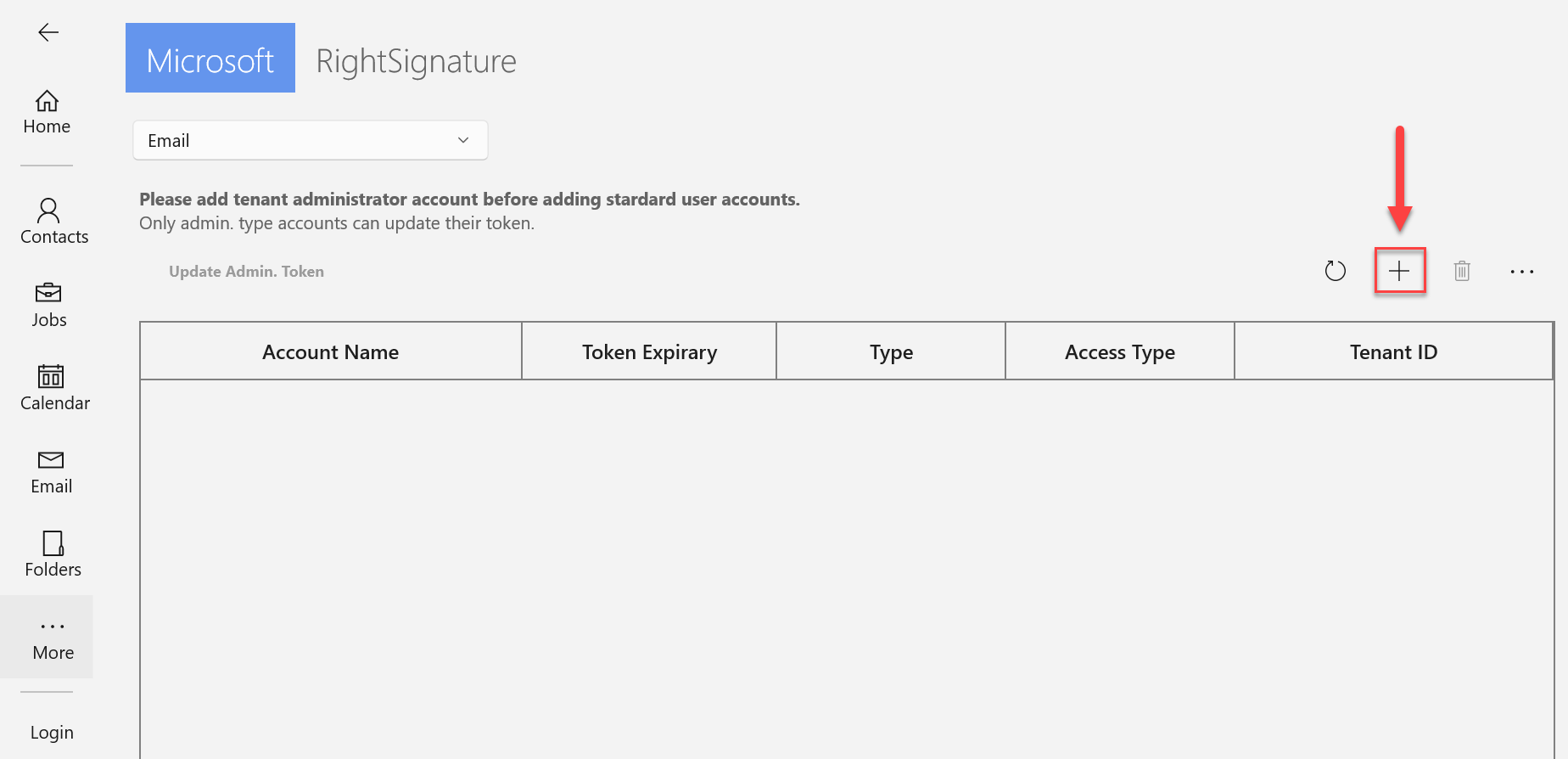
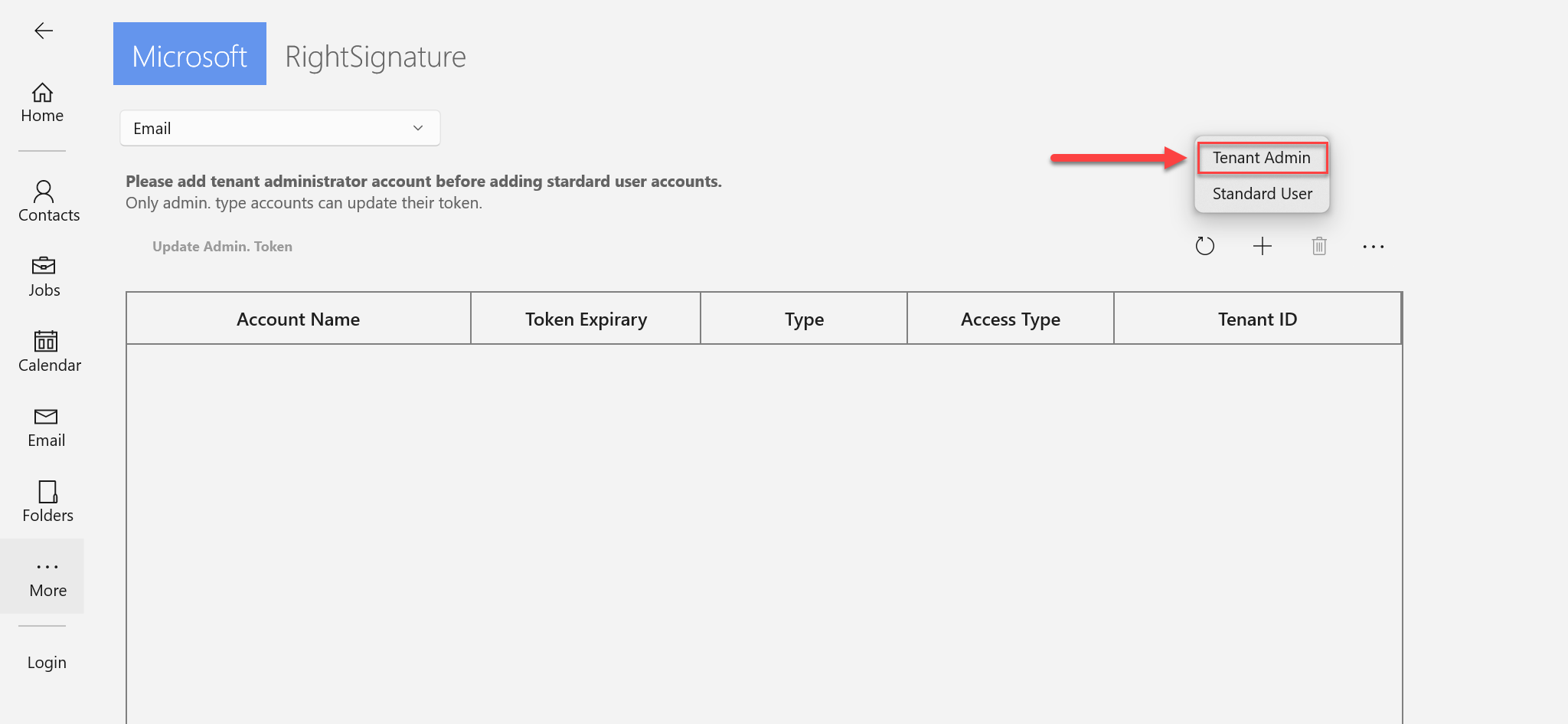
Choose Tenant Admin.
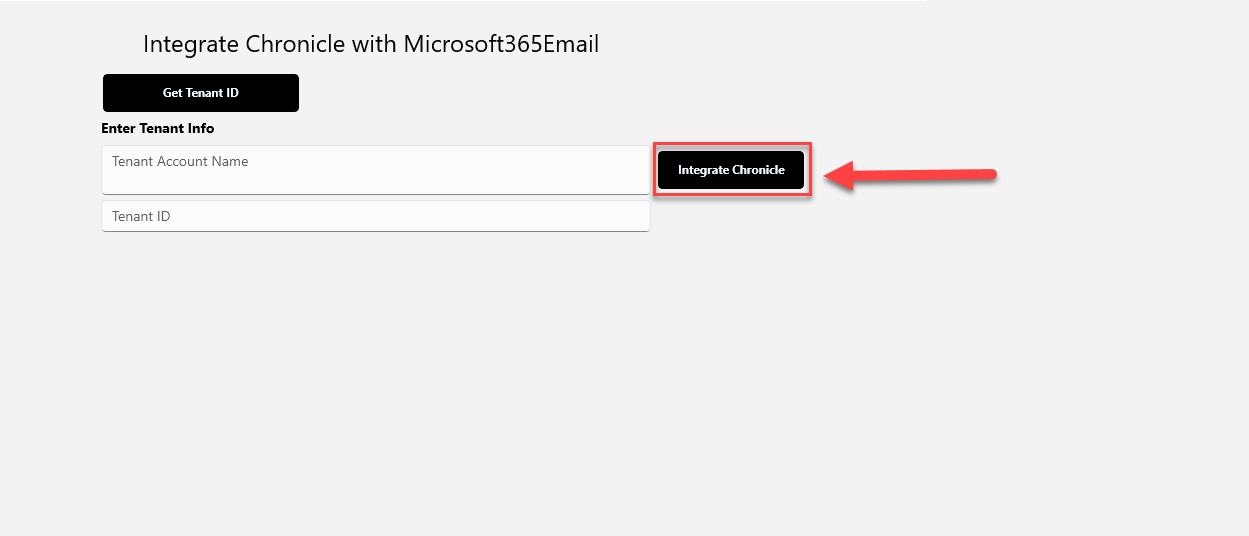
This screen should come up. Click on Get Tenant ID. Sign in to the admin 365 account.
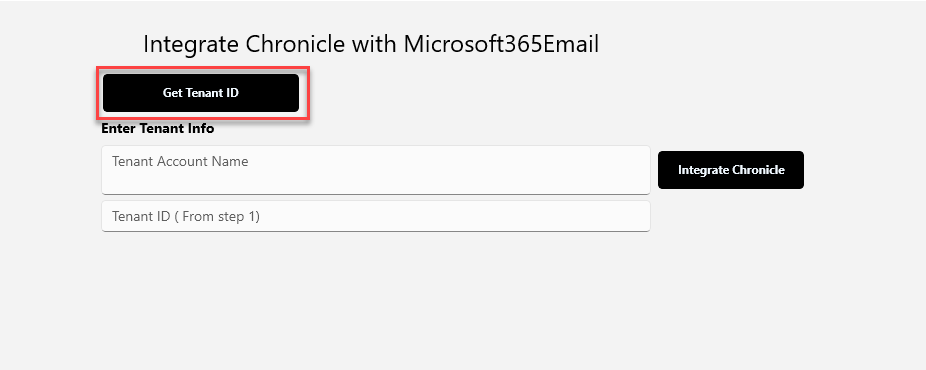
Copy the ID and paste it into the second field marked below. Add the admin email address in the first field.
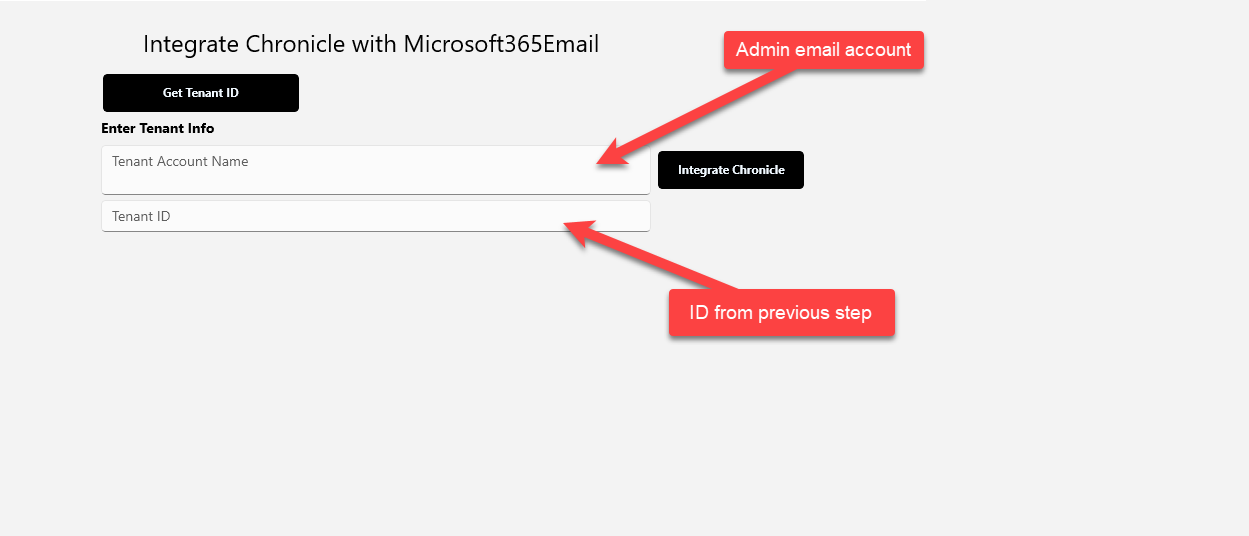
Click Integrate Chronicle.